Know which work needs you, and why.
pm.ai is an assistant project manager. It reads your projects, finds the blocked, overdue and quiet work, shows the evidence behind every concern, and drafts the follow-up. Nothing goes out until you approve the exact words.
In pilot with Priority Matrix. Jira Cloud is next.
Briefing for a real pilot project
145 of 366 open tasks need you.
104 are past due with no update and 41 have gone quiet. Each one links to its evidence and a next step.
- 104 past due, no update
- 41 gone quiet
- 51 active, or too little evidence
- 170 dormant backlog
Your tools hold the pieces. You hold the picture.
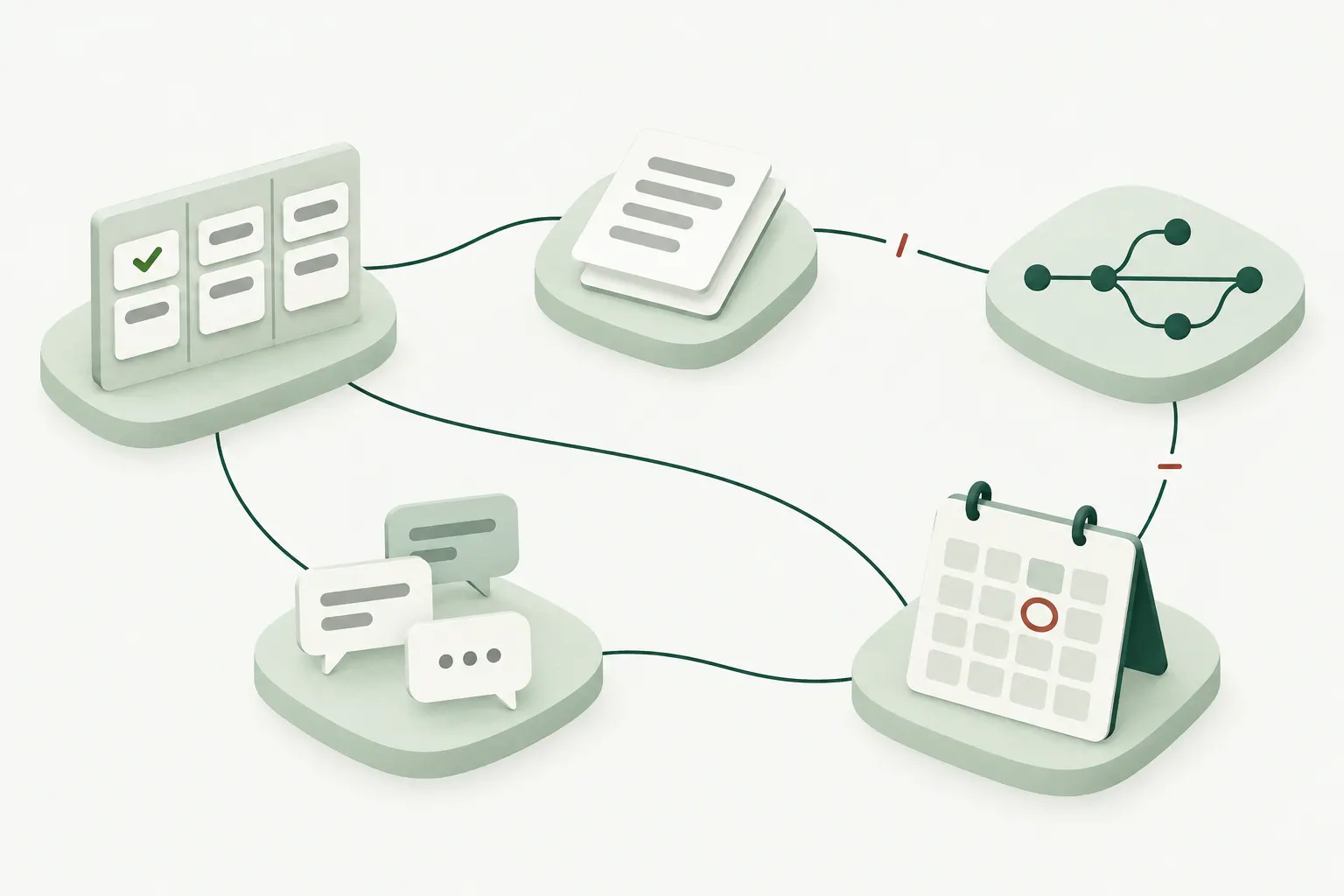
Status lives in the tracker, intent in documents, progress in code, and commitments in chat and calendars. Nothing reconciles them, so a project manager rebuilds the picture by hand every week and still misses the task that went quiet two weeks ago.
What pm.ai looks for
- Work that is blocked, whether or not anyone marked it blocked
- Commitments whose date passed with no update
- Active work that has gone quiet
- Follow-ups nobody answered
- Planned: Dependencies missing from the tracker
- Planned: Implementation drifting from the agreed requirement
- Planned: Decisions discussed but never recorded
Detected today Planned, as more sources connect
From a noisy project to one clear follow-up
Attention is the main screen: a short briefing and a feed of the few concerns worth your time. Each one walks the same path, and you decide at every point that matters.
-
Connect
Sign in with Priority Matrix and pick a project. pm.ai imports it read-only, open work first, and keeps it fresh in the background.
-
Find what needs you
Code works out the facts: due dates, working days since the last real update, status and owner. Narrow AI questions judge what the comments mean.
-
Show the evidence
Each concern leads with one reason and one next step. The facts, the judgments with their confidence, and the source records are a click away.
-
Draft the follow-up
A neutral message to the task's owner that says pm.ai is assisting you. Edit it, or ask for a suggested draft built from the task and its recent comments.
-
Approve the exact text
Policy checks the recipient, channel and wording, then you approve that exact version. Change a word and it needs approval again.
-
Deliver and watch
pm.ai posts it once, or you post it yourself and confirm. It watches for a reply and tells you if none comes. Silence never counts as done.
Update crash reporting SDK
Due Sep 12, nothing new since Sep 5. Next step: ask Jon if it's still needed.
Facts · from dates and status
- Due
- Sep 12
- Last update
- Sep 5 · 12 working days
Judgments · pm.ai, with confidence
- Real progress lately?
- No · high
- Blocked right now?
- Unlikely · medium
Exact message · to Jon Rivera
✓ Passes policy
Edit Approve this text
Check in by owner
When one person owns many past-due tasks, pm.ai prepares one message asking which are still needed, which need a new date, and which can close as won't do. Each task keeps its own approval and reply window.
Recommended updates
Ask pm.ai what should happen to a task: complete it, move the date, reassign it, close it, or leave it. You make the change in your tool; pm.ai sees it on the next sync.
Won't do, recorded
Already know a task is dead? Mark it won't do. The concern leaves your feed with that reason on record, and returns only if new evidence appears.
Facts first. Narrow judgments. Your decision.
pm.ai isn't a chatbot guessing about your project. It asks a fixed set of narrow questions with short answers, and clear rules decide what those answers are allowed to do.
-
Facts
Code works out dates, working days idle, status, owner and links. No model reinterprets them.
-
Judgments
A model answers set questions about the evidence, each with a confidence, not free-form prose.
-
Rules
Versioned rules combine facts and judgments to rank, group, draft, or stay quiet.
-
You
Approve, edit, dismiss, snooze, or correct a judgment. Only you can send.
The questions it asks today
- Does recent activity show real progress, or just noise?Yes or no
- Is the work meaningfully blocked right now?Yes or no
- What is the main blocker?One of ten
- Is the owner waiting on someone else?Yes or no
- Did later activity actually resolve the blocker?Yes or no
- How urgent is it to step in?Five levels
- What is the smallest useful intervention?One of ten
- Does the draft say only what the evidence supports, neutrally?Yes or no
- Did the reply actually answer the question?Yes or no
What confidence is allowed to do
| Confidence | Effect |
|---|---|
| Low | Abstain. The task is listed as not assessed, never quietly treated as fine. |
| Medium | Show the concern with its evidence. |
| High | Rank it and prepare a follow-up for your approval. |
No confidence level sends anything on its own.
Corrections count
Tell pm.ai a judgment is wrong: not blocked, wrong blocker, wrong urgency, already resolved, wrong person. Each correction is tied to the exact question and model version, and changes to either are tested against your corrections before they ship.
Trusted with your team's attention
An assistant that writes to your colleagues has to earn it. These rules are built in.
-
Nothing is sent without you
Approval binds to the exact text, recipient and channel. Any change needs a new approval, and policy checks again at send time.
-
Sent exactly once
Retries can't post twice. If delivery can't be confirmed, pm.ai checks the receipt instead of trying again.
-
Honest about who is writing
Every follow-up says pm.ai is assisting you by name. It never writes as you.
-
Read-only by default
Without posting rights, pm.ai still tracks a message you post yourself. Posting for you is a separate, explicit permission.
-
Your tasks stay yours
pm.ai recommends a new date, a new owner or closing as won't do. You make the change.
-
Task text is evidence, not instructions
Whatever a task or comment says, it can't change permissions, recipients or actions. Models have no tools that change anything.
-
Every step on the record
The audit trail links each message to its evidence, judgments, policy result, approval, delivery and reply.
-
Your data kept apart
Each organization has its own database schema with restricted access. Connection tokens are encrypted.
-
AI on a short leash
Models see only the task at hand and the comments you can see. Drafting runs on providers that keep no copy of the data.
Autonomy is earned one action at a time
Authority grows per type of action, and only where measured results support it. There is no global autopilot switch.
- ObserveRead and explain
- DraftPrepare messages for you
- Confirm and actSend after your approval
- Bounded delegationRoutine actions within limits you set (later)
Solid: available today Dashed: later, one action type at a time
What pm.ai won't do
- Replace Priority Matrix, Jira or your source control
- Manage people or judge their performance
- Send sensitive or performance-related messages without a human author
- Treat an AI guess as a fact
- Chase engagement with more notifications
Where pm.ai is going
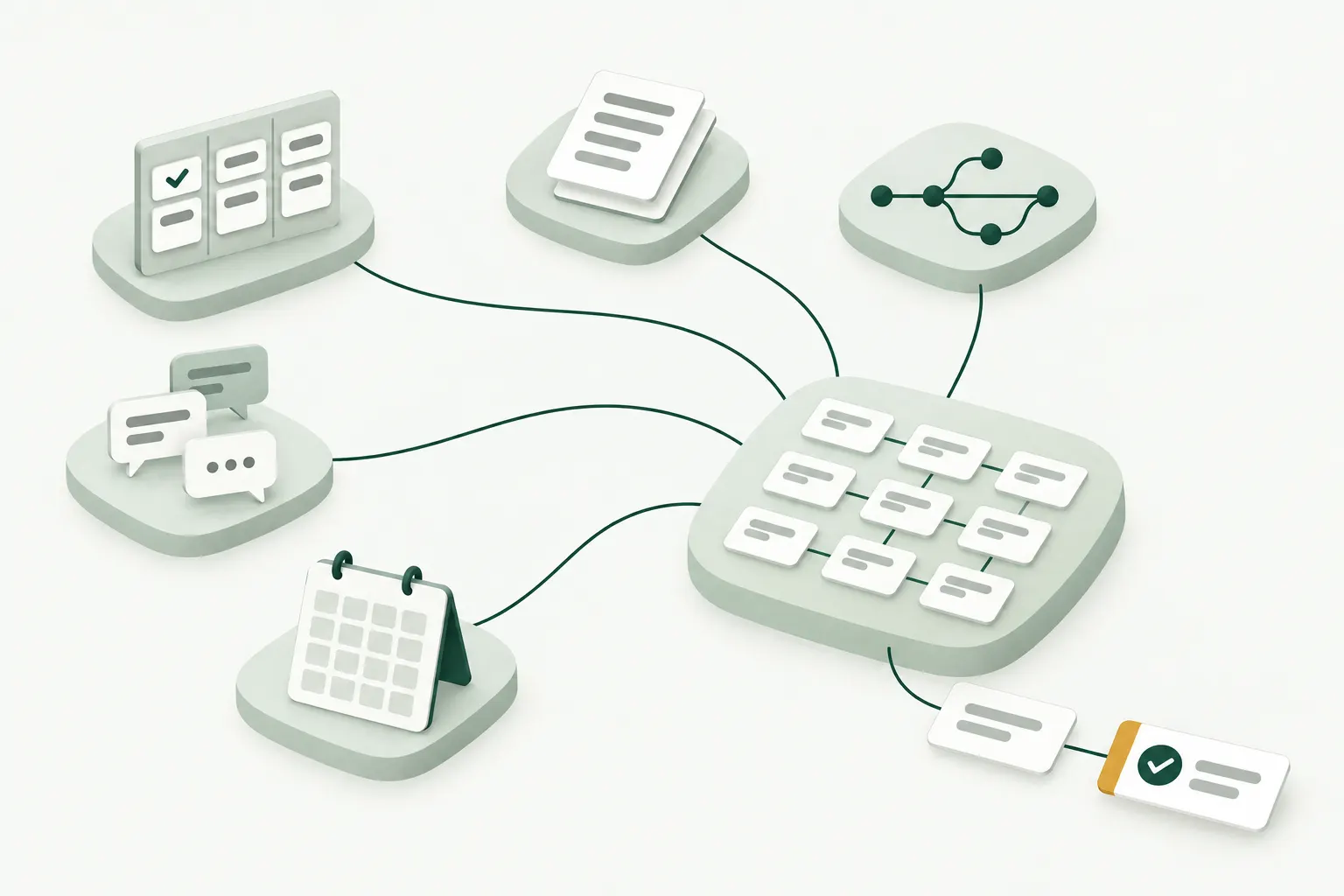
Today pm.ai works from your task tracker. The plan is to reconcile everything a project leaves behind, so the tracker, the documents, the code and the conversations tell one story. The long-term goal: something that keeps intent and execution in step and handles routine coordination within limits you set.
-
Now, in pilot
Priority Matrix: import, the attention briefing, evidence, follow-ups with approval, owner check-ins, suggested drafts and recommended updates.
-
Next
The hosted app at app.pm.ai with Sign in with Priority Matrix. Jira Cloud, tested against recorded data. Faster refresh when Priority Matrix reports a change.
-
Later
GitHub and Bitbucket for what actually shipped. Confluence and documents for intent and decisions. Slack, Teams, email and calendars for commitments.
-
Long term
Bounded delegation of routine coordination, one action type at a time, across every connected source.
Questions
Is pm.ai a chatbot?
No. Its main screen is a short briefing and a feed of concerns with their evidence. AI answers narrow questions about the evidence and drafts messages; code and you decide what happens.
Will it message my team without asking me?
No. Every follow-up needs your approval of the exact text. By default pm.ai can't post at all: you copy the approved message into the task, tell pm.ai you posted it, and it watches for the reply.
Does it change my tasks?
No. It can recommend an update, such as a new due date or closing a task as won't do. You make the change in Priority Matrix, and pm.ai sees it on the next refresh.
What does the AI see?
Only what it needs to judge one task: the task's fields and a bounded set of its recent comments that you can see, marked as untrusted data. No credentials, hidden fields or unrelated projects.
Why does it leave some tasks alone?
Finished work needs nothing, and undated work with no milestone that has been idle for 30 or more working days is dormant backlog, not a status problem. Where the evidence is too thin to judge, the task is listed as not assessed instead of guessed at.
Which tools does it work with?
Priority Matrix today. Jira Cloud is next. GitHub, Bitbucket, Confluence, Slack, Teams, email and calendars are planned.
How do I start?
Sign in at app.pm.ai with your Priority Matrix account, choose a project, and read your briefing while the import finishes in the background. During the pilot each person gets their own workspace.
Who makes pm.ai?
Appfluence, the company behind Priority Matrix.
Start with one project
Sign in with Priority Matrix, import a project and read the briefing. pm.ai won't send anything until you approve it.